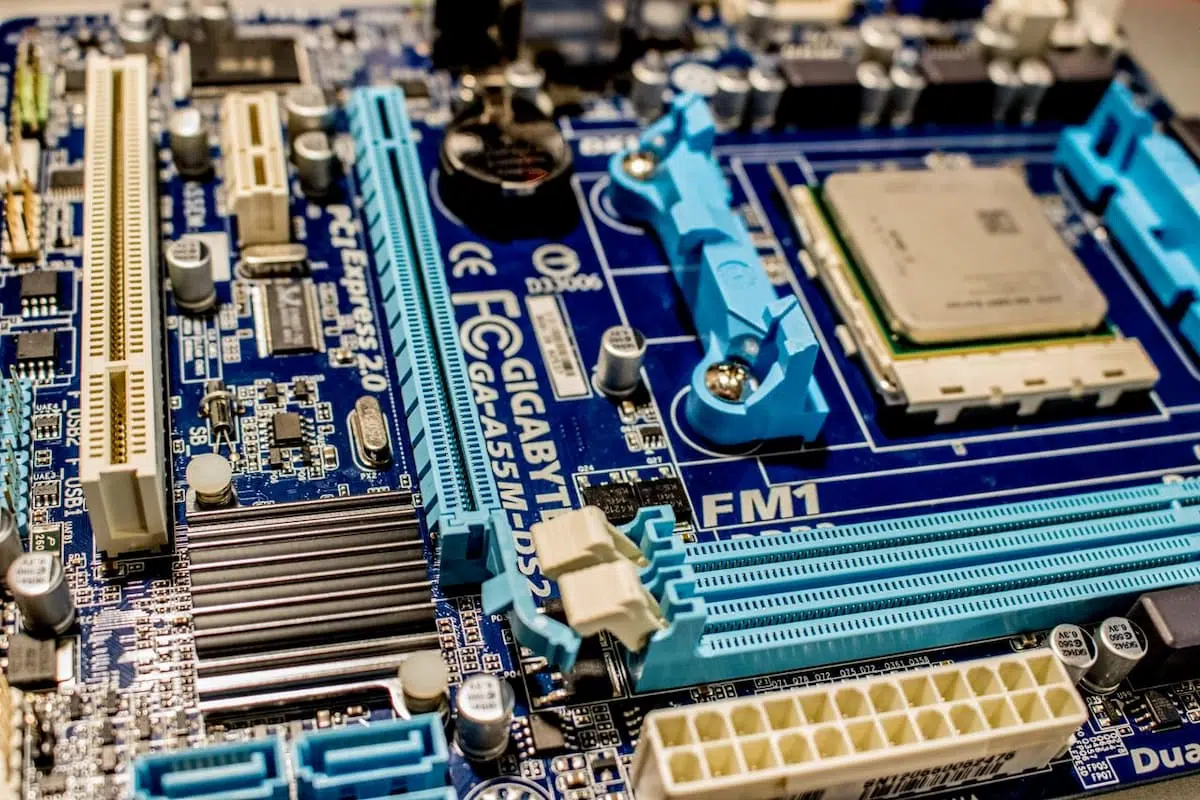
barqal — When you see 8 Cores / 16 Threads, 5.2GHz Turbo, or 24MB Cache on a spec sheet, you are not seeing “CPU speed.” You are seeing fragments of a much larger story. A modern processor is not a small chip that executes commands quickly; it is a complex engineering system that combines multiple cores, caches, prediction and execution units, power and memory controllers, and increasingly a GPU, NPU, and dedicated media and encryption engines — all inside one chip or package.
Understanding computer processors requires separating several layers:
- Transistors: the electronic switches that build logic circuits.
- ISA: the instruction set the CPU understands, such as x86-64 and ARM64.
- Microarchitecture: the internal design that implements those instructions.
- Physical design: number of dies, process node, packaging, power, and cooling.
- The whole system: memory, operating system, software, graphics, networking, and specialized accelerators.
This guide explains these layers from fundamentals to modern trends, then turns them into a practical way to understand a CPU for a laptop, desktop, gaming rig, coding machine, design workstation, or local AI workload.
Quick Summary
- Higher clock speed alone does not mean a faster CPU. Compare IPC, generation, core count, cache, and power/thermal limits.
- Core count is not a complete metric. Four strong cores can beat eight weak ones in some workloads.
- Modern CPUs are increasingly SoCs, combining CPU, GPU, NPU, media, connectivity, and shared or integrated memory.
- Hybrid designs pair performance cores and efficiency cores on the same die for high responsiveness at lower power.
- Chiplets and advanced packaging let vendors build a large CPU from smaller specialized dies instead of one huge monolithic die.
- The correct comparison depends on the workload. A great gaming CPU may not be the best for video work or local AI.
- In a laptop, power and thermal limits can matter more than the CPU’s name. The same chip can perform very differently in two devices.
What Is a CPU?
CPU stands for Central Processing Unit. Its core job is to execute program instructions: read data, perform calculations, make logical decisions, move data between memory and storage, and coordinate with other components.
When you open a browser, edit a photo, or launch a game, the CPU does not “understand” the task the way a human does. The software converts the task into a series of binary or intermediate instructions, which the CPU reads, decodes, executes, and writes results for.
But that description is simplified. A modern CPU does not always execute one instruction and wait for the next. It works on multiple instructions simultaneously, predicts upcoming branches, reorders work internally, and keeps frequently used data in caches close to the cores. That is why a CPU at a lower clock speed can often outperform an older CPU at a higher clock speed.
CPU vs GPU vs NPU
- CPU: a flexible general-purpose processor, excellent for complex decisions, diverse workloads, and running the operating system.
- GPU: a parallel processor with many units designed to execute similar operations over large data, such as graphics and matrices.
- NPU: a specialized unit for AI and machine learning workloads, delivering high energy efficiency in supported scenarios.
In a modern computer, having a GPU or NPU does not make the CPU unimportant. Each component handles the task it is best suited for, and they exchange data through memory and interconnects.
How a CPU Works: Fetch, Decode, Execute
The traditional picture of CPU operation follows a repeated cycle usually called Fetch–Decode–Execute:
- Fetch: the CPU fetches the instruction from cache or memory.
- Decode: it decodes the instruction type and the data it needs.
- Execute: the arithmetic or logic unit performs the operation.
- Memory: it reads or writes data when needed.
- Write-back: it stores the result in a register, cache, or memory.
A real CPU divides this process into many stages inside a pipeline. While one unit executes one stage, another can fetch the next instruction. This resembles an assembly line, but it is far more complex, with mechanisms to handle branches, instruction dependencies, and memory latency.
What is a pipeline?
A pipeline divides instruction execution into sequential stages. The better organized the line, the earlier the CPU can start new instructions before earlier ones finish. But deeper pipelines are not automatically better: if the CPU mispredicts a branch, it may need to flush many stages and refill them, known as a pipeline flush.
Out-of-order execution
Programs write instructions in a specific order, but some instructions wait on data or an execution unit. A smart CPU can execute independent later instructions before the waiting one, then internally reorder the results so the program sees the correct order.
This technique is called Out-of-Order Execution, one of the main reasons real-world performance exceeds what clock speed alone suggests. But it requires complex circuits to track dependencies between instructions, reserve results, and reorder them.
Speculative execution
When the program reaches a condition like if, the CPU does not always know which branch will be taken. Instead of stalling, it predicts the most likely path and starts working on it. If the prediction is right, it saves time. If wrong, it discards the speculative work and starts the correct path.
This technique needs security protection. Vulnerabilities such as Spectre and Meltdown showed that certain side effects of speculative execution can be exploited to leak information from memory. Operating systems, processors, and drivers evolved to add mitigations, and some may cost performance in certain scenarios.
Branch prediction
The Branch Predictor is a unit that predicts the outcome of conditional branches and the location of the next instruction. The better the prediction, the fewer pipeline flushes. It is one of the most impactful parts of CPU performance for code with many branches or irregular instructions.
Transistors: The Building Blocks That Drove CPU Evolution
A transistor is a microscopic electronic switch that can represent logic states like 0 and 1. Circuits combine millions or billions of transistors to build:
- Logic gates.
- Registers that store small values.
- Addition, multiplication, and logic units.
- Prediction and decode units.
- Caches and temporary memories.
- Power, memory, and interconnect controllers.
The more transistors we can fit into a reasonable area, the more cores, caches, or specialized units we can add — or the less energy we need for the same task. But the “nanometer number” is no longer a simple comparison between two companies; transistor dimension definitions and manufacturing technologies differ, and final performance depends on design, packaging, and power rather than the number alone.
Why Moore’s Law alone is no longer enough
Moore’s Law is credited with predicting the increasing density of transistors over time. This trend helped the industry for decades, but shrinking transistors became harder and more expensive, and thermal, leakage, and power limits emerged. So progress no longer relies on scaling alone, but on:
- Improving microarchitecture and increasing IPC.
- Adding more or different types of cores.
- Enlarging caches and bringing them closer to cores.
- Using chiplets instead of one large die.
- 3D stacking for memory or cache.
- Integrating CPU, GPU, and NPU within a SoC.
- Improving power and frequency management.
- Building specialized units for audio, video, encryption, and AI.
ISA vs Microarchitecture: The Difference That Explains Intel, AMD, and Arm
What is an ISA?
ISA stands for Instruction Set Architecture, the contract between software and the CPU. It defines instructions, registers, data types, memory handling, and some execution rules.
Famous examples:
- x86-64: used by Intel and AMD in many personal computers.
- ARM64 / AArch64: used by Arm chips in phones, Apple Silicon, and other devices.
- RISC-V: a relatively open ISA that companies and institutions can build processors around.
If software is built for a specific architecture, it may need translation or a compatibility layer to run on a different ISA. However, knowing the ISA alone is not enough to determine performance.
What is microarchitecture?
Microarchitecture is the internal design that implements the ISA. Two chips can support the same ISA yet differ dramatically in:
- Pipeline depth.
- Instruction decode width.
- Cache size and hierarchy.
- Number of execution units.
- Branch prediction quality.
- Out-of-order execution capability.
- SIMD and vector units.
- Power and frequency management.
That is why it is wrong to say “all x86 processors are equal” or “all Arm processors are equal.” The ISA defines “what the CPU understands,” while the microarchitecture defines “how efficiently it executes it.”
Is RISC faster than CISC?
The two acronyms are historical:
RISCfocuses on simpler, more regular instruction sets.CISCallows more complex instructions and a longer compatibility history.
But modern processors do not match the old pictures. An x86 CPU may translate complex instructions into small internal operations, and a modern RISC CPU may use a deep, complex out-of-order design. Performance is not determined by the RISC or CISC name alone, but by actual implementation, design, software, and power.
Registers, Execution Units, ALU, and FPU
Registers
Registers are extremely small memory inside the core. They store data, addresses, and results that instructions need immediately. Access is faster than cache, but the number and width are limited.
ALU — Arithmetic Logic Unit
The ALU executes integer and logical operations such as add, subtract, compare, and AND/OR/XOR.
FPU — Floating Point Unit
The FPU executes decimal or floating-point calculations, essential for simulation, engineering, graphics, and science.
Vector and SIMD
SIMD means executing a single instruction on multiple data elements at once. Instead of adding only two numbers, an instruction can process a set of numbers in a vector register. These capabilities are used in images, video, audio, encryption, and scientific computation.
Examples include SSE and AVX in x86, and NEON and SVE in Arm. However, application support for these instructions and how the application uses them both matter; having the unit in the CPU does not guarantee acceleration for every program.
Encryption units
Modern processors include instructions or units to accelerate AES, signatures, hashing, and security operations. This reduces the cost of encryption on disks, communications, and networks, but performance still depends on the operating system and libraries.
Cores and Threads: Why Counting Them Is Not Enough
Core
A core is a relatively independent execution unit inside the CPU. Having eight cores means the CPU can process multiple threads simultaneously, but the distribution of work depends on the software and operating system.
Thread
A thread is an execution path inside a program. A single program can have one thread or dozens of threads. If the program is single-threaded, it will not necessarily use every CPU core.
SMT and Hyper-Threading
SMT allows a single core to track more than one thread, exploiting execution units that may be idle while waiting on memory. It does not mean two physical cores became four; the gain varies by task and can be small, large, or nearly zero.
Single-thread and multi-thread performance
- Single-thread performance: important for user interfaces, web browsing, some games, and tasks that cannot be easily parallelized.
- Multi-thread performance: important for encoding, project builds, rendering, simulation, file compression, and running multiple tasks simultaneously.
The best CPU is the one that matches your workflow, not the one with the biggest number on the box.
Clock Speed, IPC, and Turbo: Reading the Numbers Correctly
Clock Speed and GHz
Clock speed measures cycles per second. A 4GHz CPU executes roughly four billion cycles per second, but a cycle is not a fixed unit of work across different microarchitectures. A modern architecture may execute more instructions per cycle than an older one.
IPC — Instructions Per Cycle
IPC is roughly the number of instructions a CPU can complete per cycle. Theoretical performance is affected by frequency and IPC, but no single simple number describes every program, because instructions, memory, prediction, and branches differ.
A useful approximate formula:
Approximate performance on suitable workloads = number of cores × effective frequency × IPC × resource utilization efficiency.
This is not a purchasing formula, but it explains why comparing GHz alone is insufficient.
Base Frequency
Base frequency is a reference operating point under defined power and thermal conditions. It does not mean the CPU will always run at that speed, nor that it is less capable in every task.
Turbo or Boost Frequency
Turbo is a higher frequency the CPU reaches for a period when temperature, power, and active core count allow. A peak number may apply to one core or a small number of cores, while sustained all-core speed is lower.
Intel notes that Turbo depends on active core count, cooling capacity, and available power, so a Turbo number should not be read as a fixed speed for all workloads [1].
TDP, PBP, PPT, PL1, and PL2
The names differ across vendors, but the idea is the same: the CPU operates within a thermal and power budget:
TDPis a thermal/power design indicator that helps design cooling, not necessarily the maximum consumption.PL1andPL2in some Intel processors describe long-term and short-term power limits.PPTin some AMD platforms describes a power package ceiling.- Laptop makers may set lower or higher limits than the processor’s nominal values.
That is why the same CPU can deliver different performance in a thin silent laptop versus a thick one with strong cooling. To understand how real-world cooling affects performance in your device, see why laptops overheat and how to fix it.
Cache: The Memory That Brings Data Close to the Core
Main RAM is much slower than the core. If the CPU waited on RAM for every instruction, execution units would sit idle most of the time. That is why small, fast caches exist:
- L1 Cache: fastest, closest, and smallest, often divided into instruction and data caches.
- L2 Cache: larger and slightly slower, often private per core.
- L3 Cache: usually larger and shared across a group of cores or the whole die.
- L4 Cache: rare or specific to certain designs.
Cache Hit and Cache Miss
- Cache Hit: data is present in the requested layer and is accessed quickly.
- Cache Miss: data is not present, so the CPU searches a slower layer or RAM.
Bigger cache does not always mean higher performance. The impact depends on the program’s nature, data size, memory design, latency, and how cache is shared between cores.
Why large cache helps gaming
Games often reuse relatively small data related to the engine, AI, and physics. Keeping that data close to the cores reduces trips to RAM, so processors with extra cache can gain in some games without a large frequency increase.
3D V-Cache and vertical stacking
3D stacking places a cache layer on top of or beside the CPU die through dense connections. It aims to increase capacity and reduce distance, but stacking brings thermal, manufacturing, cost, and compatibility challenges. AMD’s 3D V-Cache is an example of stacked cache improving some gaming and compute workloads [2].
From Single-Core to Multi-Core Processors
Raising frequency was the easiest visible way to increase performance, but heat and power consumption made further frequency increases difficult. The industry turned to adding cores and improving per-core efficiency.
Parallel scaling law
If a task can be split into independent parts, multiple cores can execute them simultaneously. But part of the program may remain serial, and splitting and recombining work has a cost. That is why performance does not exactly double when core count doubles.
Amdahl’s Law in simple terms
If 20% of a task cannot be parallelized, you will hit a ceiling beyond which adding infinite cores does not help. The program must be designed for parallelism, and memory, interconnect, and storage must be able to feed the cores.
NUMA and large systems
In servers and workstations, the distance between certain cores and certain memory may differ. This is called NUMA, and it makes data placement and thread scheduling performance-relevant. Most consumer devices use a simpler model, but cache and memory effects do not entirely disappear.
Hybrid Design: P-cores, E-cores, and big.LITTLE
The core idea
Instead of making every core identical, hybrid architecture uses different types:
- P-core (Performance Core): a larger, stronger core suited to interactive work and latency-sensitive tasks.
- E-core (Efficiency Core): a smaller, more efficient core suited to background work and light or sustained parallel work.
- LP E-core: an ultra-low-power core in some designs for light tasks in power-saving modes.
Arm pioneered big.LITTLE by combining high-performance and high-efficiency cores inside a SoC, distributing tasks dynamically according to load [3]. Intel also uses P-cores and E-cores in recent hybrid designs, with Thread Director providing scheduling information so the OS can choose the most suitable core for each thread [4].
Why hybrid design matters for laptops
In a laptop, writing email or playing music does not require a high-power core. Background work can run on E-cores while P-cores remain available for responsiveness, or parts of the chip can be powered off to save energy. When rendering or gaming, the stronger cores activate and the power and thermal budget allows it.
The operating system’s role
P-cores and E-cores alone are not enough. The operating system must know the core type, workload, thread priority, and battery state. Bad scheduling can place a latency-sensitive task on an unsuitable core, or migrate a thread between cores so often that it loses cache and pays context-switch cost.
This is why updating Windows or Linux, drivers, and firmware matters on hybrid devices, especially in the first releases of any new design.
Is E-core a bad core?
No. The E-core is designed for a different goal. It may have lower single-thread performance, but it delivers good performance per watt, and many of them can be combined for parallel workloads. The mistake is comparing P-cores and E-cores as if they were the same type.
Arm, Apple, and Qualcomm
The idea of different cores did not start with Intel. Arm has used big.LITTLE for years in phones and low-power devices. Apple Silicon combines Performance Cores and Efficiency Cores inside a SoC, and Qualcomm’s Oryon uses tiers such as Prime and Performance to balance responsiveness and efficiency [3] [5] [6].
From Discrete CPU to SoC
What is a SoC?
SoC stands for System on a Chip. Instead of placing the CPU on one chip and the GPU, memory controller, and connectivity on other chips, a SoC integrates many components into one coherent package or die.
A SoC may include:
- CPU with performance and efficiency cores.
- Integrated GPU.
- NPU or AI engine.
- RAM controller.
- Encryption units.
- Video encode/decode engine.
- Display and audio controller.
- Wi-Fi, Bluetooth, or modem on some platforms.
- USB, PCIe, and storage controllers.
SoC advantages
- Shorter distances between components.
- Lower power consumption in some workloads.
- Smaller, thinner designs.
- Memory shared between CPU, GPU, and NPU.
- Fewer chips and external interconnects.
- Better potential for quiet, light laptops.
SoC disadvantages
- RAM or GPU upgrades may be impossible.
- If a key unit fails, the board or device may need replacement.
- Shared memory means the GPU may compete with the CPU for capacity and bandwidth.
- Compatibility with older software may need translation or a compatibility layer when moving across ISAs.
Unified Memory
In a traditional design, the CPU owns RAM and a discrete GPU owns VRAM, and data may be copied between them. In unified memory, a high-bandwidth pool is accessible to multiple units inside the SoC, reducing copies in certain scenarios.
Apple explains that its Unified Memory Architecture provides a single pool of memory accessible to the chip’s technologies, reducing data copies while combining high bandwidth, low latency, and energy efficiency [6].
But unified memory is not “free”: CPU, GPU, and NPU share the same capacity, and if it fills up, the system may rely on slow virtual storage. That is why choosing enough capacity upfront matters on devices that do not allow RAM upgrades.
Chiplets: Why Modern Processors Are Built From Multiple Dies
Monolithic Die
In a monolithic design, most CPU cores and controllers sit on one silicon die. This may provide fast internal communication, but it becomes harder and more expensive as the die grows, and the fraction of good dies per wafer drops.
Chiplet design
A Chiplet is a small specialized die. Multiple chiplets can be combined into one package:
- Chiplets for cores.
- Chiplet for I/O.
- Chiplet for graphics.
- Chiplet for cache.
- Chiplet for memory or accelerators.
AMD uses a chiplet strategy in the Zen family to separate core development paths from I/O, and adds chiplets according to core count and product level [7].
Chiplet benefits
- Scalability: add chiplets to increase core count.
- Lower cost: manufacturing small dies increases yield compared to a huge die.
- Mixed process technologies: cores on an advanced node and I/O on a more mature, lower-cost node.
- Design reuse: use the same chiplet across multiple products.
- Customization flexibility: build different packages for servers, desktops, and laptops.
Chiplet challenges
- Latency between dies may be higher than communication inside a single die.
- Requires high-speed, efficient interconnect interfaces.
- Power and heat distribution are more complex.
- Software and thread scheduling must understand cache and memory topology.
- Packaging and testing become essential parts of the design.
2.5D and 3D Packaging
In 2.5D packaging, dies are placed side by side over a high-density interposer or substrate. In 3D stacking, one layer sits above another. TSMC states that its 3DFabric technologies combine 3D stacking, advanced packaging, and homogeneous and heterogeneous chiplet integration to achieve higher density, performance, and efficiency [8].
Packaging is no longer a secondary stage after chip design; it has become part of the architecture itself, because it affects bandwidth, latency, power, and cost.
Memory and Interconnect: The Battle Beyond the CPU Core
A CPU may be fast, but it will not benefit from that speed if it waits on data. That is why Memory Hierarchy is one of the most important parts of the processor:
- Registers inside the core.
- L1 Cache.
- L2 Cache.
- L3 or shared cache.
- RAM.
- SSD or HDD.
As we go down the list, capacity increases and cost per bit decreases, but latency increases.
Memory Bandwidth
Bandwidth is the amount of data that can be transferred per second. GPU, NPU, gaming, and video editing need high bandwidth, especially when RAM is shared. But bandwidth is not everything; latency, access patterns, and cache matter too.
Memory Latency
Latency is the time before data arrives. Memory with high bandwidth may not help much in a program that relies on small scattered requests and low latency.
Interconnect
Interconnect is the link between cores, cache, I/O, memory, and chiplets. In large processors, the quality of this link can determine performance more than adding more cores. Examples include company-specific internal links and PCIe for external components.
Coherency
When multiple cores have private caches, each core must know whether a copy of data has been changed in another core. Cache Coherence protocols maintain consistency across copies, but they consume bandwidth and power and become more complex as core count grows.
Power and Cooling: Why Cores Do Not Always Run at Maximum Speed
Every active transistor consumes power, and a large portion becomes heat. Dynamic power can be approximated with the relationship:
Power is affected by capacitance, frequency, and approximately the square of voltage.
So lowering voltage slightly can have a large effect on power and heat, but it may make the circuit unstable if lowered too much.
Power Gating
Turning off power to unused parts of the chip. It helps in sleep states and light workloads.
Clock Gating
Stopping the clock signal to a unit that does not need to work, reducing switching and power consumption.
DVFS
Dynamic Voltage and Frequency Scaling — adjusting voltage and frequency dynamically based on load, power, and temperature.
Thermal Throttling
If the chip reaches a thermal limit, it reduces frequency, voltage, or disables certain parts to protect itself. So you may see an excellent short benchmark result, then lower performance in a long test. To learn about the causes of laptop overheating and how to address them, see our deep dive: Why Is Your Laptop Overheating? 17 Hidden Causes and Fixes.
Sustained Performance
Sustained performance is what a device can maintain after minutes of load, not the highest result for a few seconds. This is crucial when comparing a thin laptop with a thick gaming machine. If you notice performance dropping after a period of use, the cause may be laptop overheating and thermal throttling.
NPU: Why AI Units Were Added to the CPU
AI models require large matrix multiplications and repetitive operations. They can run on the CPU, but that may consume more energy. A GPU is well suited to parallelism, while the NPU is specifically designed for AI/ML operations with higher efficiency in supported scenarios.
What does the NPU do?
It may accelerate:
- Background blur in video calls.
- Audio noise removal.
- Translation and speech transcription.
- Photo and video enhancement.
- Running small language or vision models locally.
- Face or object detection.
- Some system smart features.
TOPS is not everything
You may see a number like 40 TOPS or 45 TOPS. TOPS means trillions of operations per second, but it does not alone describe:
- Numeric precision used (INT8 or FP16).
- Type of operation.
- Memory efficiency.
- Real model performance.
- Software and API support.
- Power consumption and heat.
So do not compare NPUs using TOPS alone. Check the applications supported and the model performance that matters to you.
CPU, GPU, and NPU together
The best design does not make the NPU a replacement for the CPU. The CPU runs the application and system, the GPU handles graphics and large matrices, and the NPU runs low-power repetitive AI tasks. This is the idea of Heterogeneous Computing: the right processor for the right task.
The Evolution of Computer Processors: From Frequency to Heterogeneous Systems
Stage 1: Frequency scaling
In the era of single-core processors, raising frequency and improving instructions was the most prominent path to more performance. But higher frequency means more heat and power, and limits emerged that could not be easily surpassed.
Stage 2: Multi-core
Companies began placing two, then four, eight, and more cores. The focus shifted to splitting tasks, but software was not all ready for parallelism, so single-core performance remained important.
Stage 3: Cache, IPC, and specialization
Instead of only raising frequency, companies improved prediction, decode, out-of-order execution, and cache, and added vector, encryption, and video acceleration instructions.
Stage 4: SoC and integrated graphics
Platforms combined CPU, GPU, memory controller, and connectivity in a single chip, especially in phones and low-power laptops. This led to thinner devices and longer battery life, with some upgrade trade-offs.
Stage 5: Hybrid design
It became practical to use P-cores for latency-sensitive loads and E-cores for background and parallel work. The big.LITTLE concept moved from phones to computers, with a greater need for core-aware scheduling.
Stage 6: Chiplets and advanced packaging
The huge chip was no longer the only path. Companies separated cores from I/O, began combining multiple dies, and added 3D stacking for memory or cache.
Stage 7: Heterogeneous computing and AI
The processor became part of a platform that includes CPU, GPU, NPU, video and encryption engines, and connectivity, with the software or OS deciding which unit to use for each task.
Comparing Major Directions: Intel, AMD, Arm, Apple, and Qualcomm
Intel: Hybrid and Scheduling
Intel expanded into Performance Hybrid design, combining P-cores and E-cores. Thread Director sends information to the OS about thread characteristics and performance/efficiency differences to help scheduling choose the appropriate core [4].
AMD: Zen, Chiplets, and Cache
AMD uses the Zen architecture as the basis for Ryzen, EPYC, and Threadripper families, standing out in chiplet strategy and separating cores from I/O, with cache technologies such as 3D V-Cache in specific products [2] [7].
Arm: Efficiency and Flexible Design
Arm designs ISAs and IP for cores and platforms, and adopts the big.LITTLE and DynamIQ philosophy to combine different core types inside a SoC and manage performance and power according to load [3].
Apple Silicon: SoC Integration and Unified Memory
Apple Silicon chips combine performance and efficiency cores, GPU, Neural Engine, media engines, and unified memory inside an integrated design. This reduces copies between units, but it means memory capacity choice matters at purchase time, because memory is often part of the package and not upgradeable [6].
Qualcomm Oryon: An Arm Processor for Diverse Platforms
Qualcomm describes Oryon as a custom 64-bit scalable CPU, with a design focusing on branch prediction, prefetching, and cache, and with Prime and Performance tiers balancing responsiveness and efficiency across platforms including computers, phones, and cars [5].
RISC-V: An Open ISA and a Customization Direction
RISC-V is not a specific processor company but an open ISA that can be built around with different cores. Its core strength is flexibility and customization potential, but the success of any product depends on core quality, the software ecosystem, tools, drivers, and compatibility.
What Does a “3nm” or “5nm” Process Node Mean?
A process node refers to a generation of semiconductor manufacturing technologies. Historically, the numbers were tied to specific dimensions, but in the modern era they have become complex commercial and technical labels, and it is not correct to compare one company’s 3nm with another’s 3nm as if they were the same.
A smaller node may allow:
- More transistors per area.
- Lower consumption at the same performance.
- Higher performance within the same power budget.
- More space for cache or NPU.
But the final benefit depends on the logic library, design, leakage, frequency, packaging, product quality, and cooling. A processor with a better design on an older node can outperform a weaker design on a newer node.
How to Choose a CPU for a Desktop or Laptop
For study and web browsing
Focus on:
- Good single-thread performance.
- 4 to 8 modern cores depending on budget.
- 16GB RAM if possible.
- Fast SSD.
- Low power consumption and appropriate battery life.
For programming
The choice depends on the type of development:
- Editor and web: a modern core and sufficient RAM.
- Large projects and frequent builds: more cores and strong multi-thread performance.
- Virtual machines and containers: large RAM and high core count.
- Local AI development: a supported GPU or NPU and sufficient memory, not just a CPU.
For gaming
Focus on:
- Strong single-thread performance and low latency.
- An appropriate GPU before overinvesting in CPU.
- Useful cache in supported games.
- Sustained cooling and clear TGP in laptops, and make sure the device does not overheat during gaming.
- A display refresh rate that matches expected FPS.
For video editing and design
Look for:
- Strong multi-thread performance.
- A GPU that supports application acceleration.
- A hardware encoder/decoder appropriate for encoding.
- Large, fast RAM.
- A fast SSD with enough space for scratch files.
- A color-accurate display for professional work.
For local AI
Check:
- GPU or NPU support for the model type.
- VRAM or Unified Memory size.
- CUDA, Metal, DirectML, or a suitable API.
- Precision type (INT8/FP16, etc.).
- Model size and required memory.
- Software support, because having an NPU without a supported app provides no practical benefit.
For servers and workstations
Priority may be:
- Core and thread count.
- Memory capacity and number of channels.
- ECC.
- PCIe lanes.
- Sustained performance.
- Reliability and remote management.
- Memory bandwidth and interconnect between chiplets and sockets.
How to Read a CPU Name
CPU names often consist of:
- Brand: Intel Core, AMD Ryzen, Apple M, Qualcomm Snapdragon.
- Tier: Core Ultra 5, Ryzen 7, M Pro, Snapdragon X Elite.
- Generation or model number: defines the family and features, but is not an independent performance metric.
- Suffix: may indicate power, graphics, overclocking potential, or device class.
General examples:
Usuffix often indicates a low-power laptop class in some families.HorHXsuffix often indicates a higher-performance, higher-power class, but details vary by generation.Ksuffix on some Intel processors indicates an unlocked multiplier for overclocking, especially on supported platforms.- Apple and Qualcomm names are not read the same way, so compare within the family, model, and use case.
Rule: Do not compare
Core i7,Ryzen 7, orUltra 7without knowing the generation, the full model, the power limits, and the device the CPU is installed in.
How to Test CPU Performance Without Falling Into the Numbers Trap
Use a test close to your work
- A code compilation test if you are a developer.
- A render or encode test if you work in video.
- A gaming test with appropriate resolution and frame rate if you are a gamer.
- An AI model test if your goal is to run models locally.
Distinguish Single-Core and Multi-Core
A high Multi-Core score may not benefit a single-threaded program. An excellent Single-Core score does not mean the device is the best for long renders.
Watch sustained performance
Test for 10 or 20 minutes, not 30 seconds, and monitor temperature, frequency, and power. Some laptops raise performance temporarily then reduce it due to cooling. To learn more about the causes of this behavior, see the laptop overheating article.
Do not compare different systems without understanding the measurement
Libraries, compilers, drivers, operating systems, and test precision may differ. The number a company publishes may be a best-case scenario, not a guarantee for every device.
Watch performance per watt
Performance per Watt matters in laptops and data centers. A CPU slightly slower at peak may be far better for battery, heat, and noise.
Practical tip: During testing, use keyboard shortcuts to open Task Manager and monitor performance quickly —
Ctrl + Shift + Escopens it immediately, andWin + Shift + Stakes a screenshot of the results.
Common Mistakes in Understanding CPUs
“Higher GHz always means a faster CPU”
Wrong. Compare architecture, generation, IPC, cache, core count, and power. Frequency within the same family is useful, but it is not an absolute rule across different generations.
“More cores is always better”
Wrong. If the program is single-threaded or weakly parallel, a CPU with fewer but stronger cores may benefit you more.
“All threads equal cores”
Wrong. SMT improves core utilization, but it does not fully double physical resources.
“TDP is the maximum CPU power consumption”
Not necessarily. It is a design indicator, and companies may use different short- and long-term limits.
“3nm is faster than 5nm in every case”
Not automatically. Process nodes are not simply comparable between companies, and design, power, and cooling are decisive.
“NPU makes all AI software faster”
No. The application and library must support the model and the NPU, and a GPU or CPU may be better for some workloads.
“SoC is always stronger because it includes everything”
A SoC offers integration and efficiency, but may limit upgrades, memory sharing, or expansion compared to a discrete desktop.
“The same CPU delivers the same performance in every device”
In laptops especially, power limits, cooling, and firmware can significantly change performance. See the overheating guide to understand the difference between peak and sustained performance.
“Bigger cache always means higher performance”
The benefit depends on data patterns, program, latency, and how cache is shared.
Where Is CPU Architecture Heading?
1. More heterogeneity
Chips will continue to integrate P-cores, E-cores, LP-cores, GPU, NPU, and media engines, with more precise scheduling for the right task on the right unit.
2. More specialized chiplets
A package may consist of a chiplet for cores, another for I/O, another for graphics, and another for memory or AI. This will enable product customization and accelerate design reuse, but will increase the importance of packaging and interconnect.
3. Cache and 3D stacking
Bringing data closer to cores will become more important, especially as the speed gap between compute and memory widens. Companies will compete on stacked cache, high-bandwidth memory, and latency reduction.
4. Memory as part of the architecture
Unified Memory, HBM, CXL, and memory-sharing technologies will gain importance. The question will no longer be only “how many cores?” but “how do these cores reach data?”
5. On-device AI
AI tasks will move from cloud-only to laptops, phones, and cars, increasing the importance of NPU, memory, model-efficiency, and privacy.
6. Hardware-integrated security
Root of Trust, Secure Boot, encryption, and system integrity monitoring will expand, aiming for higher protection without large performance drops.
7. Power efficiency instead of raw performance only
Battery life, temperature, noise, and sustained performance will become metrics equal to peak performance, especially in laptops and data centers.
8. Convergence of PC, phone, car, and server
The same basic architecture may be used across markets, with different core counts, GPU, NPU, memory, and cooling. This increases reuse and the importance of unified software.
Quick Glossary of Key CPU Terms
| Term | Short meaning |
|---|---|
| CPU | Central Processing Unit. |
| GPU | Graphics and parallel compute processor. |
| NPU | AI-specialized processor. |
| ISA | Instruction set the CPU understands. |
| Microarchitecture | Internal design implementing the ISA. |
| Core | Physical execution unit. |
| Thread | Software execution path. |
| SMT | Multiple threads on one core. |
| IPC | Instructions executed per cycle. |
| GHz | Billions of clock cycles per second. |
| Turbo/Boost | Temporary high frequency when conditions allow. |
| Cache | Fast memory close to the core. |
| L1/L2/L3 | Cache levels with different speed and size. |
| Pipeline | Overlapped instruction stages. |
| Out-of-Order | Executing independent instructions out of program order. |
| Branch Prediction | Predicting conditional branch paths. |
| SIMD | One operation on multiple data elements. |
| SoC | System on a Chip. |
| P-core | Performance core. |
| E-core | Efficiency core. |
| Heterogeneous Computing | Distributing work across different units. |
| Chiplet | Small die combined with others in a package. |
| Monolithic Die | One large silicon die. |
| 3D Stacking | Vertically stacking dies or cache. |
| TDP | Thermal/power design indicator. |
| DVFS | Dynamic voltage and frequency scaling. |
| Thermal Throttling | Performance reduction due to heat. |
| Unified Memory | Shared memory for SoC units. |
| VRAM | Graphics memory. |
| TOPS | Trillions of operations per second for AI accelerators, by a given measurement. |
| PCIe | High-speed component interconnect. |
| Memory Bandwidth | Data moved per second. |
| Latency | Access or response time. |
| Benchmark | Standardized performance test. |
| Performance per Watt | Performance relative to power consumption. |
Conclusion: A Modern CPU Is Not One Number
Computer processors evolved from a single core raising its clock to heterogeneous systems containing multiple cores and different types of processing units, wide caches, integrated SoCs, chiplets, unified memory, AI NPUs, and 3D packaging.
The most important shift is not only that the processor became “faster,” but that the entire design became more specialized and integrated. Today a task may execute on a P-core, then another on an E-core, an image may be processed on the GPU, noise removal may run on the NPU, and everyone reads from cache or shared memory, while the OS monitors heat, power, and thread scheduling.
So when choosing a processor, do not ask only: “How many GHz?” or “How many cores?” Ask:
- What is the architecture and generation?
- What is single-core and multi-core performance?
- What is the cache size and latency?
- What are the power and thermal limits in this device?
- Are the cores homogeneous or hybrid?
- Are there GPU or NPU units useful for my software?
- Is the memory upgradeable, or unified and soldered?
- What is sustained performance, not just the first seconds?
- Does the software I use benefit from these units?
If you answer these questions, you will move from reading marketing names to a real understanding of hardware architecture and choosing the right processor for your needs.
Read Next on barqal
- Why Is Your Laptop Overheating? 17 Hidden Causes and Practical Fixes — a comprehensive guide to overheating causes, thermal throttling, and fixes.
- The Ultimate Keyboard Shortcuts Guide: 250+ Shortcuts and Useful Codes — shortcuts that speed up your daily work and open diagnostic tools instantly.
- لماذا يسخن اللابتوب؟ 17 سبباً خفياً وحلولاً عملية — Arabic version for bilingual readers.
- دليل اختصارات الكيبورد واللابتوب الشامل — Arabic shortcut reference.
References
- CPU Clock Speed, Turbo Frequency, and Performance — Intel
- AMD 3D V-Cache Technology — AMD
- Arm big.LITTLE: Processing Architecture for Power Efficiency and Performance — Arm
- Intel Performance Hybrid Architecture and Thread Director — Intel
- Qualcomm Oryon CPU Architecture — Qualcomm
- Apple Silicon, Unified Memory, CPU, GPU, and Neural Engine — Apple
- AMD Zen Core Architecture and Chiplet Design — AMD
- 3DFabric: 3D Silicon Stacking and Advanced Packaging — TSMC